Introduction
One part of the TCsi Create My Config Expert software upgrade. It is built into the Expert Deployment guide for each lathe; run it from there so the steps are done in order.
-
-
If [Reset (po)] was pressed in the Machine Identification step, reenter the Manufacturer Password.
-
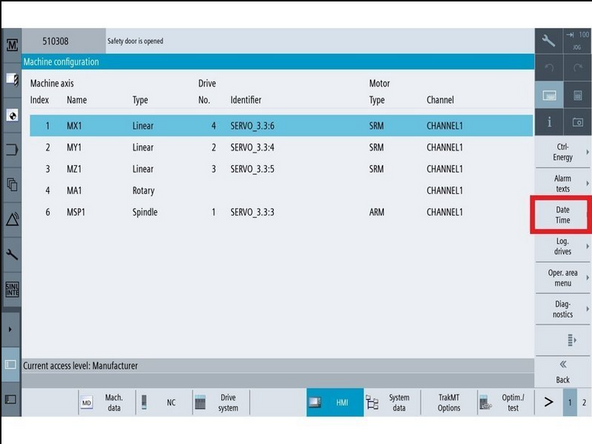
To set Date and Time: Go to [Setup] → [HMI] → [Date time].
-
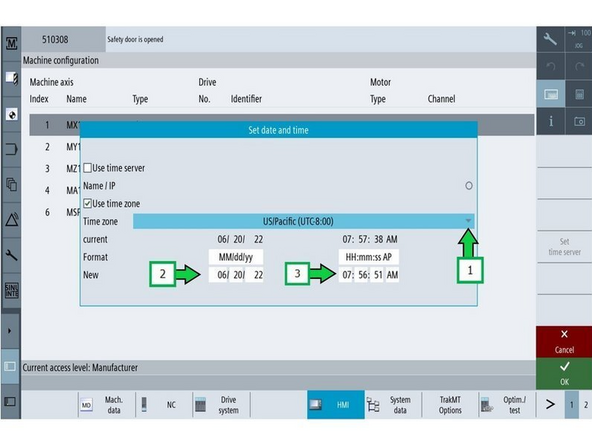
Verify the date and time.
-
If necessary, adjust the time: Update to the correct time, then click [Accept] and [OK].
-
-
-
Close the machine door.
-
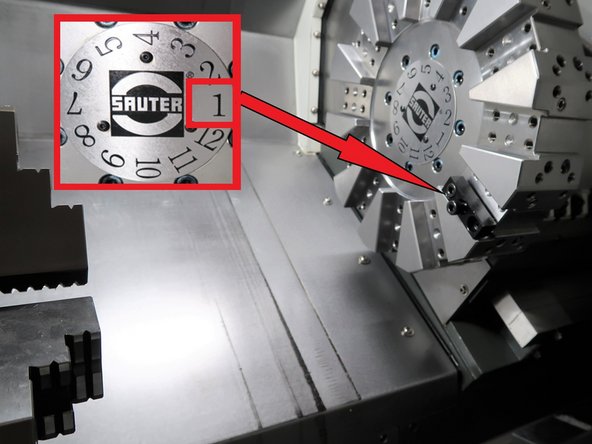
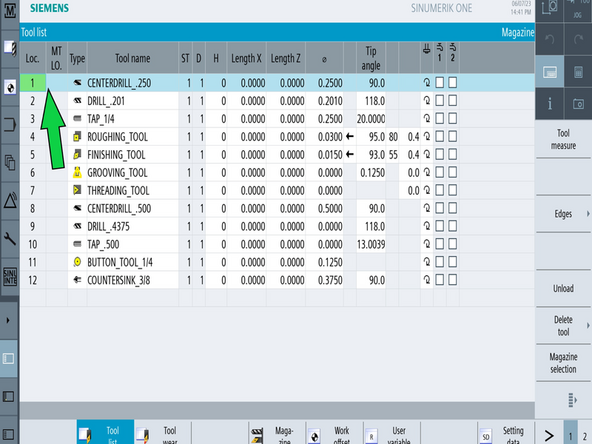
Go to [Machine] → [TSM] → [Select Tool]. Select Tool 1 and press [Cycle Start].
-
This will move the turret to Position 1
-
Go to [Tool List] (Left vertical, second button from top) and verify the turret position is at Tool 1.
-
The Machine should be on Position 1 matching the Tool List Position 1.
-
-
-
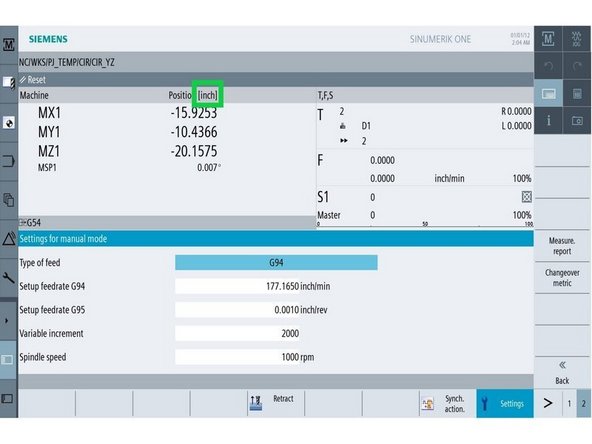
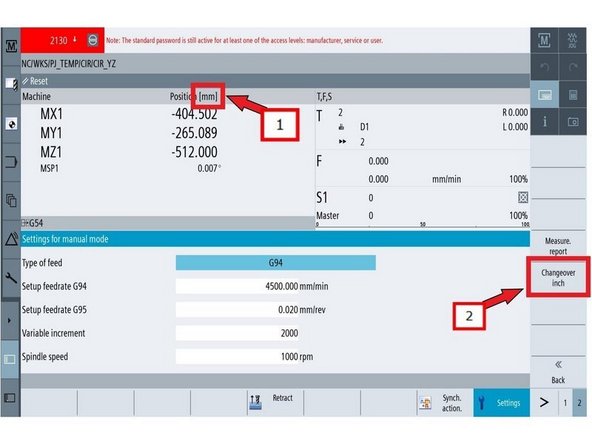
Go to [Machine] and verify the position banner shows inch.
-
If you need to change it: go to [Settings] → [Page 2], then press [Changeover inch].
-
Confirm the machine is now set to inch.
-
-
-
Press [E-Stop].
-
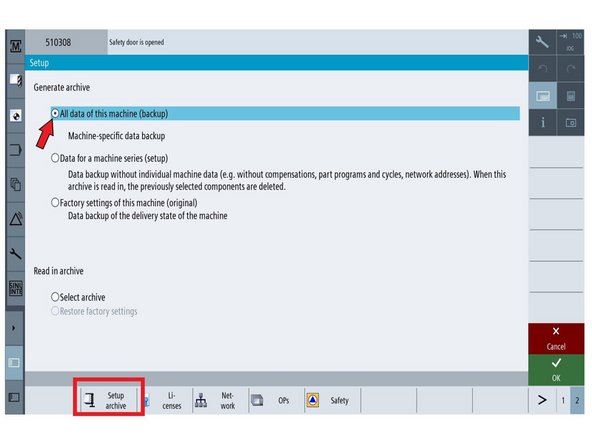
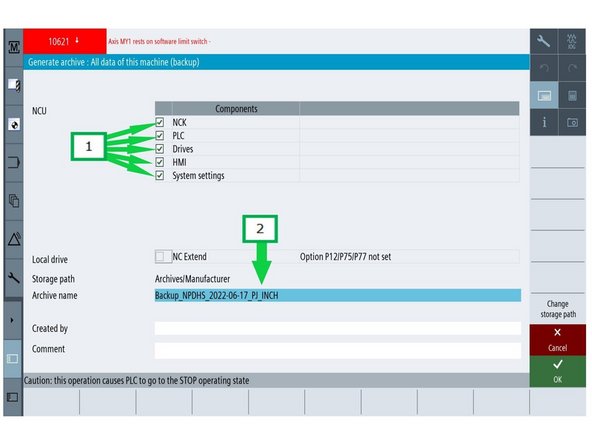
Go to [Setup] → [Page 2] → [Setup Archive] → [All data of this machine] → [OK].
-
(1) Make sure all boxes are checked.
-
(2) Select the [Archive name] field. Name the file Backup_NPDHS-YYYY-MM-DD_BEFORE_UPGRADE and press [OK].
-
YYYY-MM-DD is today's date. June 26, 2023 is written 2023-06-26.
-
The default storage path is [Archives/Manufacturer]. If it is anything else, press [Change storage path] → [Archive/Manufacturer] → [OK].
-
This screen also lets you save the archive to either USB port.
-
This archive is your way back if the upgrade goes wrong. Archive Current System before proceeding.
-

Team