

Before You Start
- Save the license file to a USB drive
- Do NOT unzip the file
- Insert USB into the control
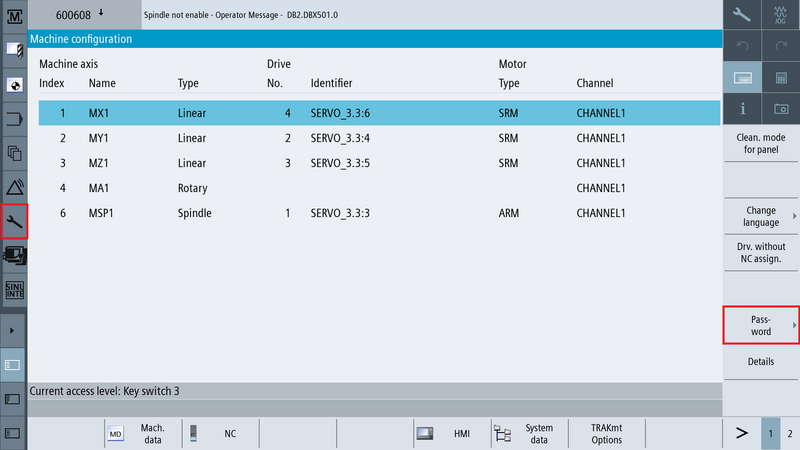
Step 1 – Log In as Manufacturer
Press [Setup] → [Password]
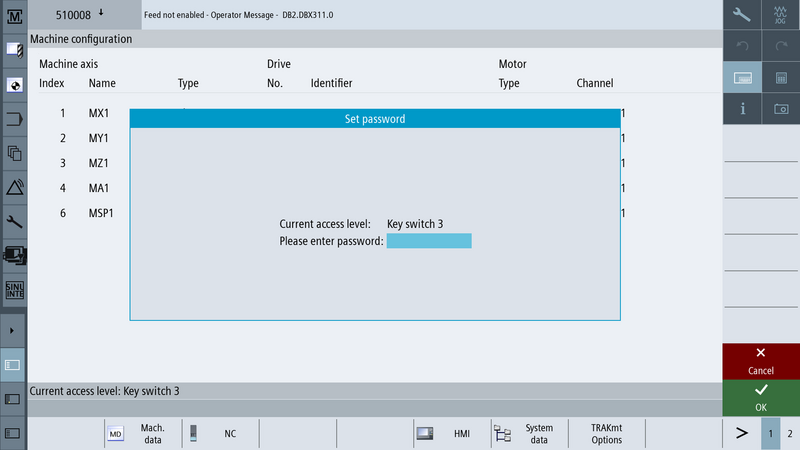
- Log in as Manufacturer
- Enter the manufacturer password: TRAKmt2021
 |  |
Step 2 – Load the License
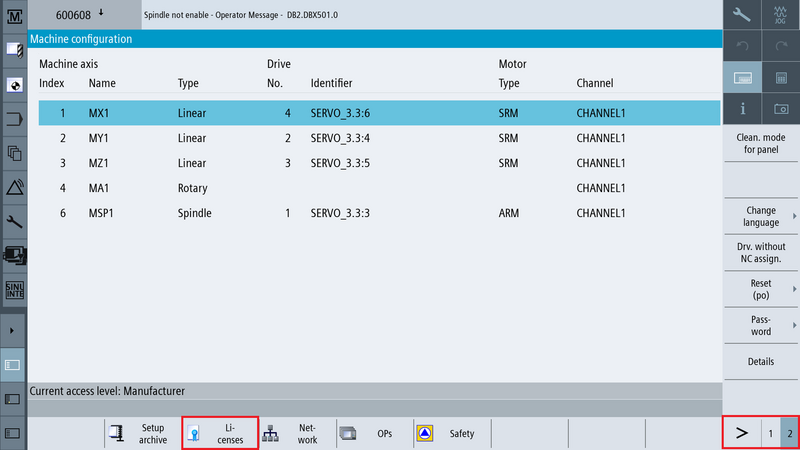
- Press [Setup] → [Page 2] → [Licenses]
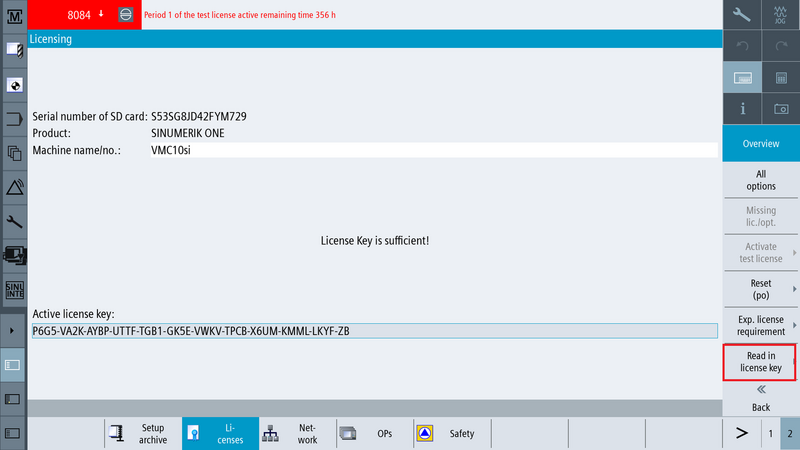
- Press [Read in license key]
- Browse to the USB drive
- Select the license file
- Press [OK]
 |  |
Step 3 – Activate the License
After loading the license file, the license must be activated.
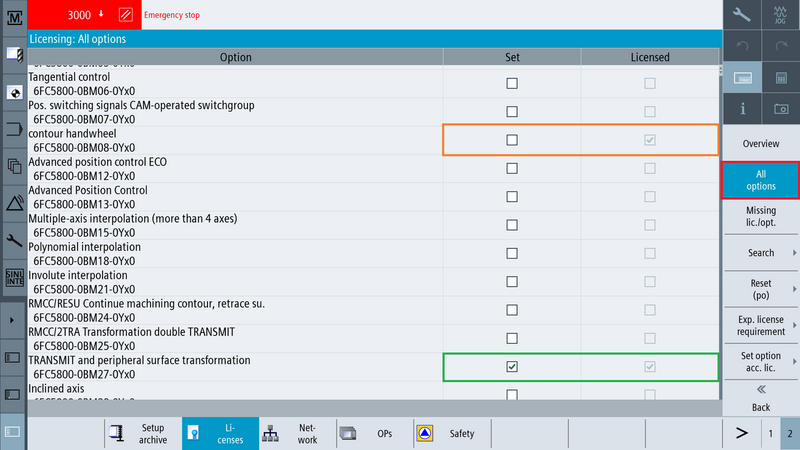
- While still logged in as Manufacturer, go to [Licenses] → [All options]
- Locate the license you just installed
- The Licensed column indicates the license is owned
- The Set column indicates whether the license is active
- Check the box under the Set column to activate the license
Step 4 – Power Cycle
- Power cycle the machine.
- After startup, verify the license is active under [Licenses] → [All options]
0 Comments