

Error 22051 – S1 / MSP1 Reference Mark Not Found
This alarm indicates that the spindle orientation proximity sensor did not detect the spindle’s reference mark. The control expects to see the sensor signal change state as the spindle recess passes the sensor. If the signal does not toggle, the control cannot complete orientation.

Viewing the Input on MCP
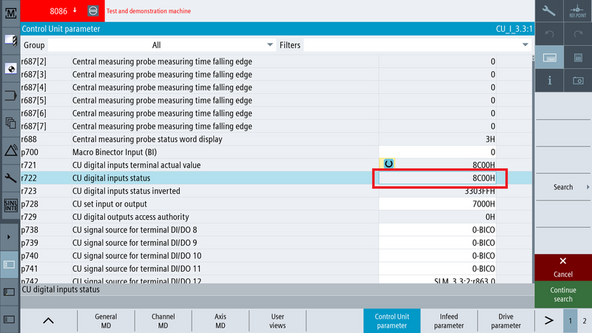
Navigate to [Setup] → [Mach. Data] → [Control Unit Parameters] → [Search] and enter r722
- On the r722 line, select the hexadecimal value on the right
- The bit view will appear
 | 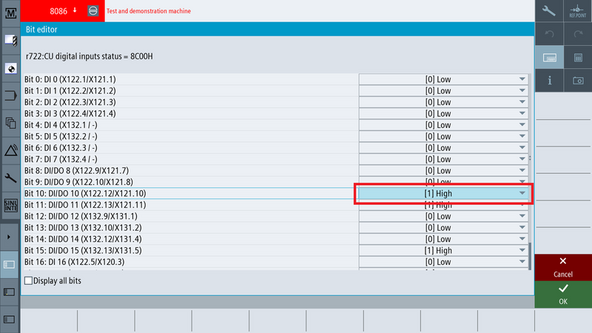 |
In the Bit Menu:
- Bit 10 represents the signal at X122-12
- Rotate the spindle slowly by hand
- Watch Bit 10 toggle from High → Low → High as the recess passes the sensor
Expected behavior:
- Bit 10 = High when over metal
- Bit 10 = Low when the recess passes
Sensor Location and Mechanical Inspection
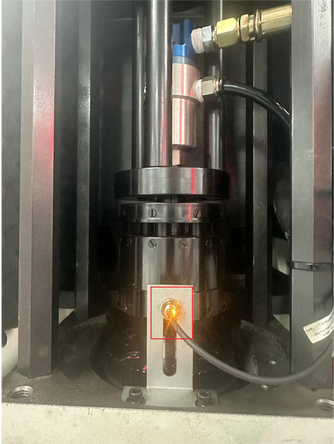
- Remove the Z-Axis tower cover to expose the spindle orientation sensor.
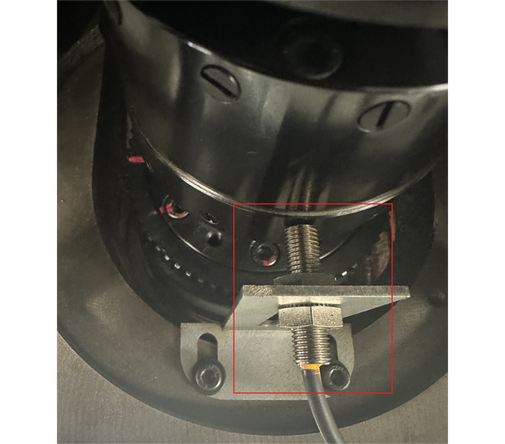
- The sensor is mounted near the bottom of the spindle tower and detects the orientation recess.
- Inspect the sensor for:
- Loose mounting screw
- Sensor pushed too far away from the spindle
- Damage to the sensing face
- Tighten or realign the sensor as needed. Ensure the sensing face is within the correct proximity distance.
 |  |
Correct Sensor Behavior
The sensor is a proximity switch that detects the metal surface of the spindle.
| Spindle Surface | Sensor LED | Siemens Bit (X122-12, Bit 10) | Meaning |
|---|---|---|---|
| Metal under sensor | ON | 1 (High) | Normal spindle surface detected |
| Recess (hole) under sensor | OFF | 0 (Low) | Reference mark position |
The control expects to see a High → Low → High transition as the spindle rotates.
If the sensor never goes low, it is not seeing the recess.
If the sensor stays low, it is not detecting metal at all.
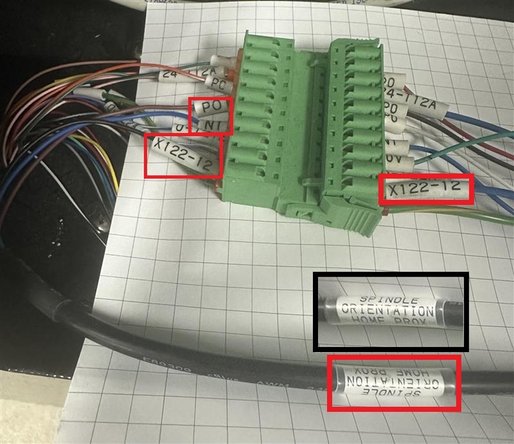
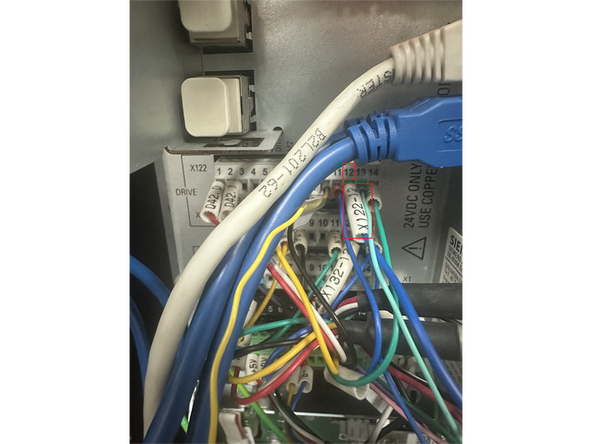
Wiring Path (Sensor to MCP)
Follow this path inside the MCP to verify the signal reaches the control:
- The proximity sensor cable runs into the back of the MCP
- It terminates on the green multi-pin terminal block
- From this block it routes to X122-12
 |  |
0 Comments