

- Log in as Manufacture.
- [Setup] → [Set Password] → TRAKmt2021
- Go to [Setup] → [System Data]
- Navigate to the following folder structure:
- SINUMERIK data → user → sinumerik → hmi → cfg
- Locate the file:
- systemconfiguration.ini
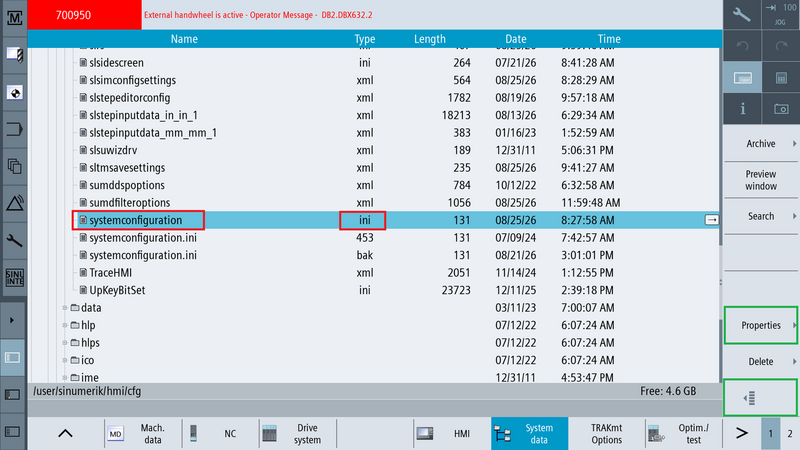
- Press the softkey outlined in green, directly above the page 2 indicator.
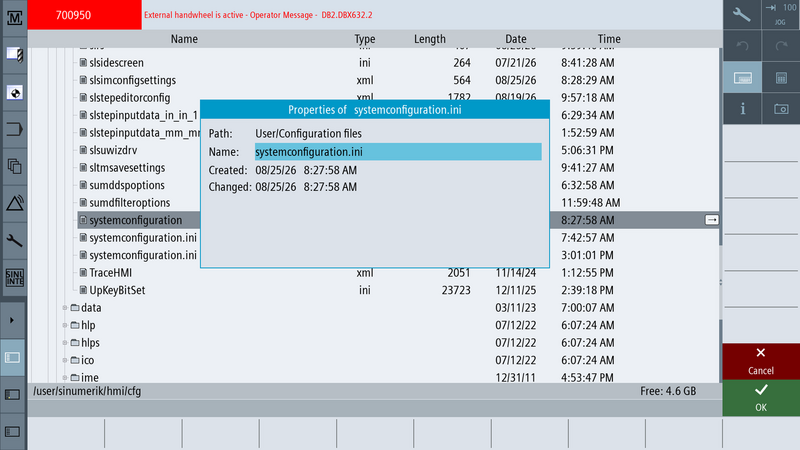
- Select [Properties]
- Rename it to any name other than systemconfiguration.ini
- Example: systemconfiguration_old.ini
- Rename type .ini file, not the 453 or bak type.
- Power cycle the machine.
0 Comments