Introduction
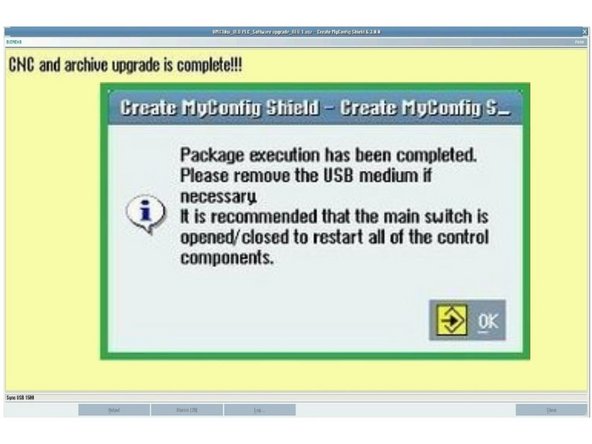
One part of the TCsi Create My Config Expert software upgrade. It is built into the Expert Deployment guide for each lathe; run it from there so the steps are done in order.
-
-
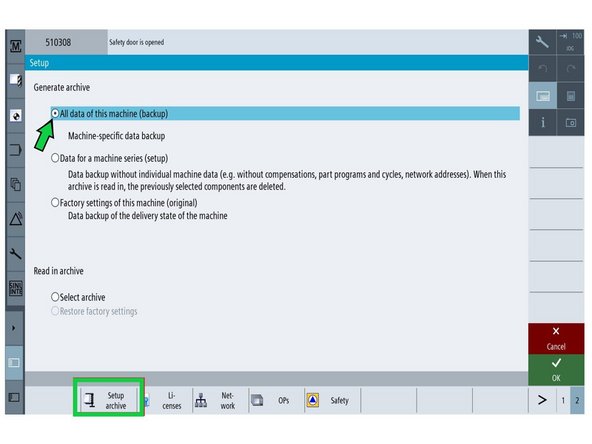
Go to [Setup] → [Page 2] → [Setup Archive] → [All data of this machine].
-
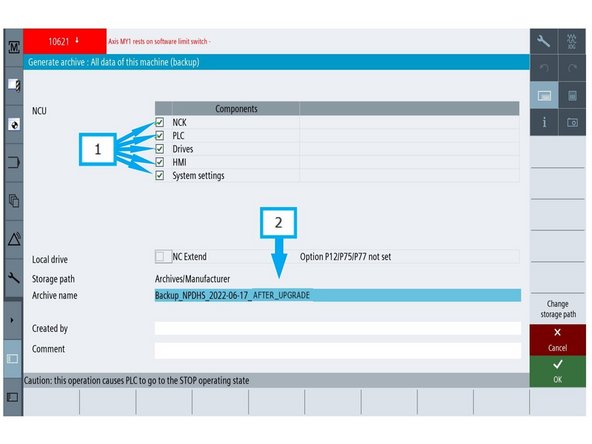
(1) Make sure all five components are checked.
-
(2) Select the [Archive name] field. Name the file Backup_NPDHS-YYYY-MM-DD_AFTER_UPGRADE and press [OK].
-
-
-
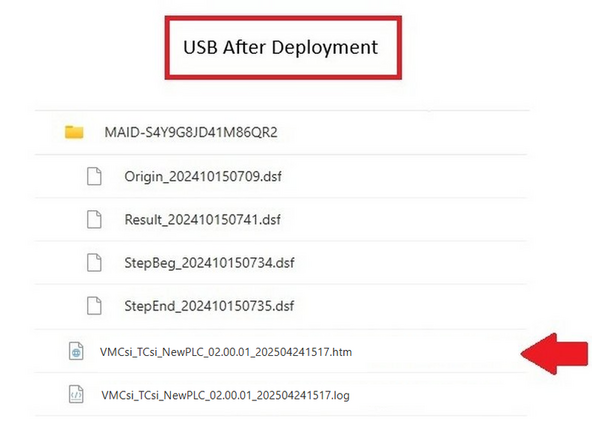
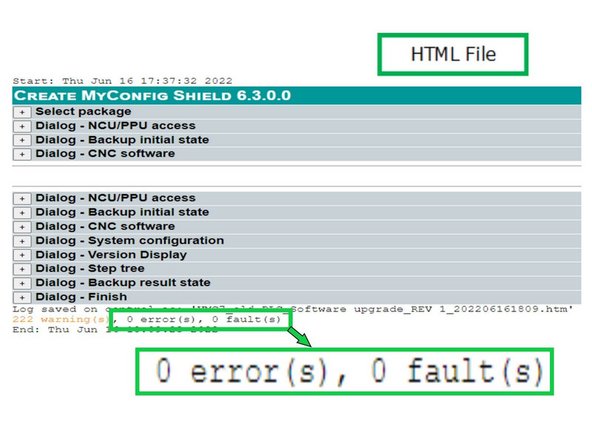
After deployment, the contents of the USB stick are shown with the HTML file highlighted.
-
Open the HTML file on the Siemens control, or in a browser on a computer.
-
Near the bottom of the file, check the errors and faults fields. Both should read 0. If not, report it to TRAK Engineering.
-
Almost done!
Finish Line

Team